

Switching to PhoneBox from Another Carrier
What you need to switch:
★ Phone number
★ Account number (please confirm with your current carrier)
★ An active contract with your current carrier (apply at least one week before your contract ends)
Step 1 – Visit our website: gophonebox.com/activation
•
If you already have a PhoneBox SIM card: Go to this page, enter your SIM number, and select your plan.
•
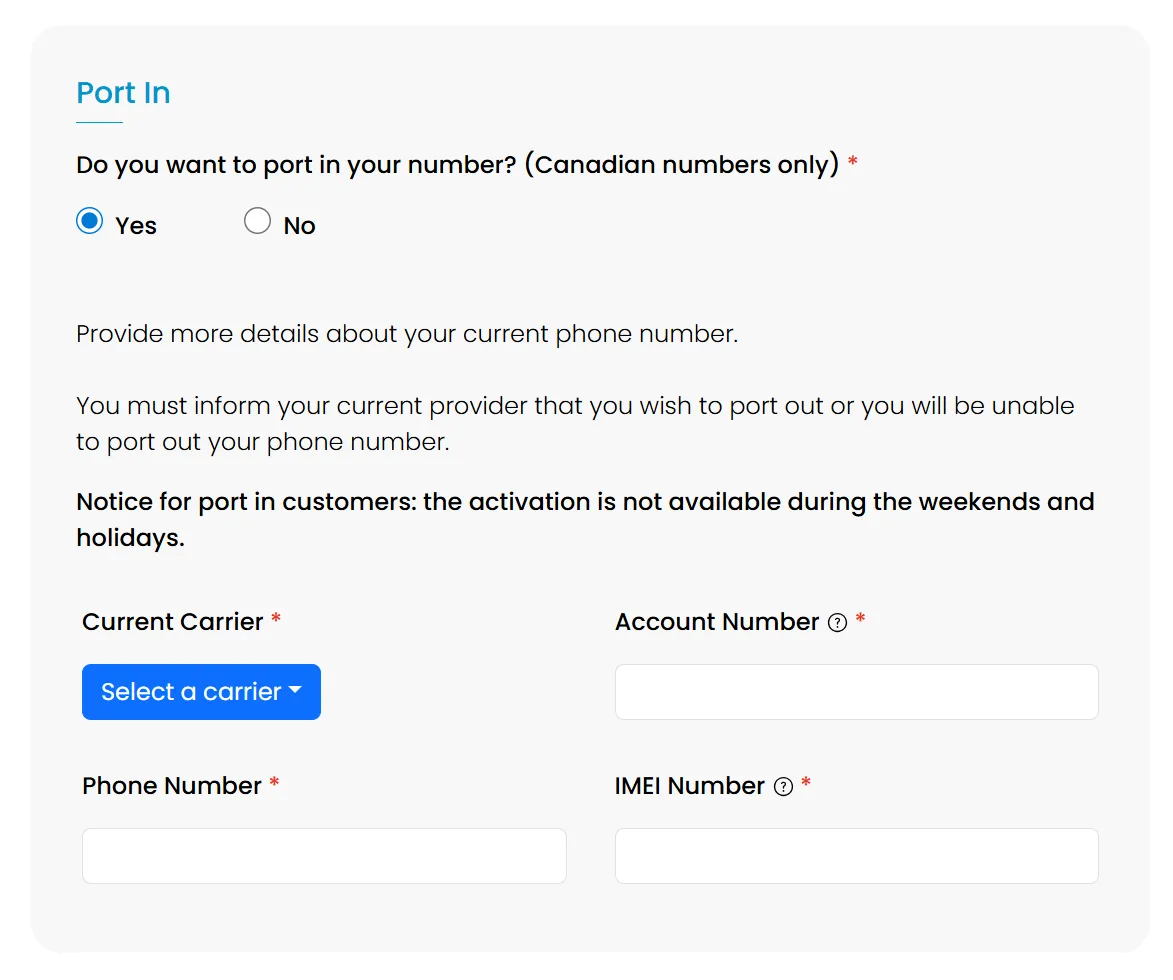
Step 2 – While entering your personal information, you will see the question:
“Would you like to port in your phone number?”
Please select “Yes.”
Step 3 – Enter your phone number, current carrier's name, and account number.
(You may find your account number on a previous bill or in your current provider’s online account. If you cannot locate it, please contact your carrier’s customer service to request it.)
 Important:
Do NOT cancel your current number before the port-in is complete.
The number must remain active for the transfer to succeed.
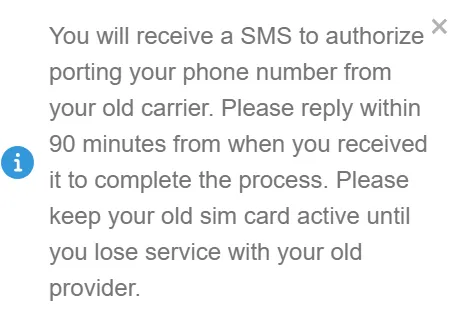
Step 4 – Within a few days of your activation date, you will receive an SMS from your current carrier.
Reply “Yes” within 90 minutes of receiving the message.
If you miss this window, please contact us.
(At this point, continue using your current SIM.)
Step 5 – After replying “Yes” within 90 minutes, your old SIM will stop working within a few days.
Once this happens, insert your PhoneBox SIM.
Step 6 – After confirming that your PhoneBox SIM is working properly, you may cancel your old account.
※ The SMS confirmation and port-in process may take 1–3 business days (excluding weekends and holidays).
We recommend starting your application at least one week before your current plan's renewal date.
Note: For users of TELUS, Koodo, Public Mobile, CTexcel, or China Telecom, plan options may be limited. Please contact our staff for details.