

You can cancel your service by contacting PhoneBox or by canceling directly through the app.
How to cancel through the app?
1.
Log in to the PhoneBox App or MyAccount.
2.
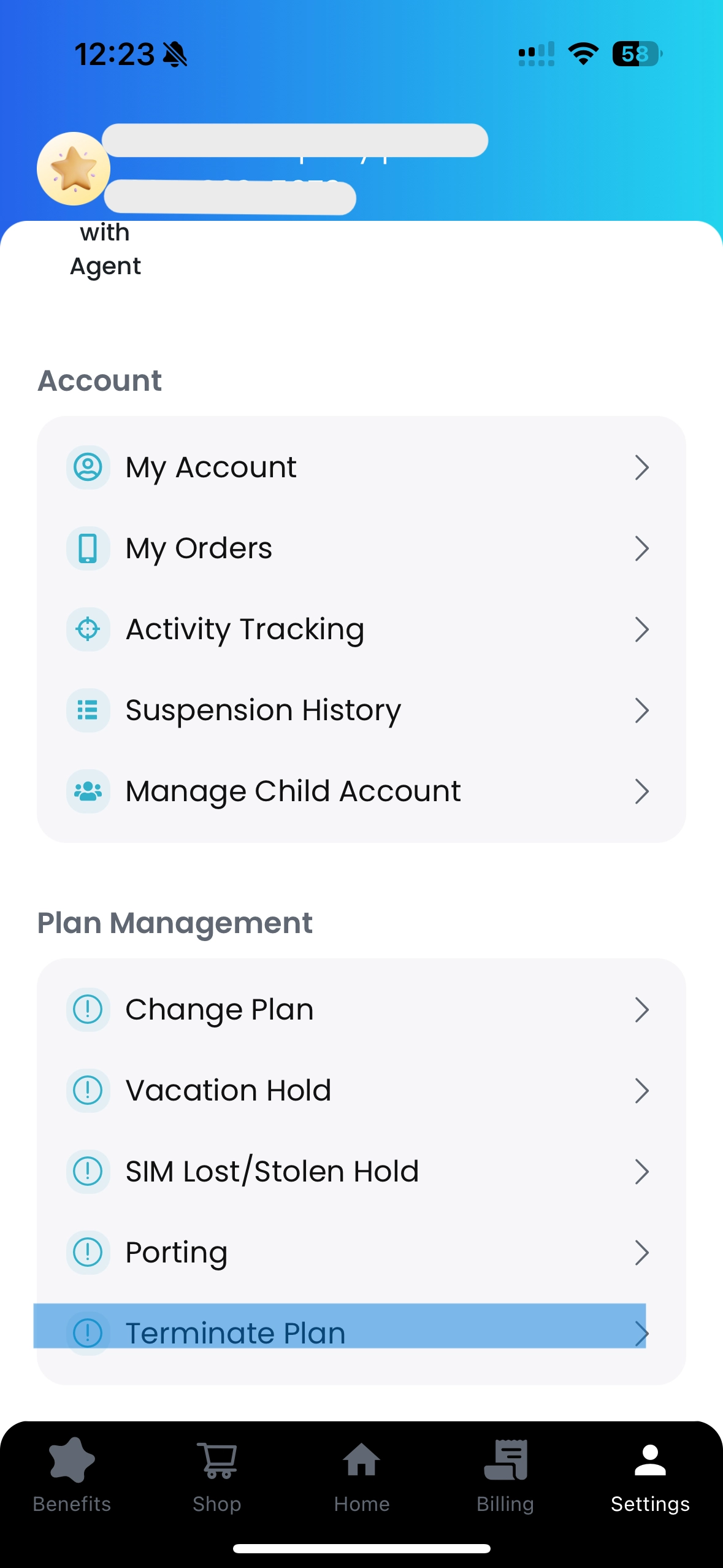
Click the “Settings” icon, then select “Terminate Plan.”
3.
Please select the cancellation date and reason for cancellation.
a.
You can choose a cancellation date starting from the same day.
b.
For “Tell us more about the reason,” if you are canceling, you may simply enter “None.”
4.
Once the service cancellation is fully completed, PhoneBox will send you the email shown on the left.By clicking “Submit Confirmation,” the refund will be processed to your registered credit card by the end of the month following the date.
.png&blockId=2dda7e3c-f21b-8001-98ef-f574d4c34a8f)